 TrueOffset
Tuning
Tuning a time server
What we have learned running GNSS time servers, most of them Raspberry Pis. Each item says what goes wrong, what it cost on our servers, and a read-only command to see whether it applies to yours.
How to read this page
Every item carries one of three labels:
- Measured We saw it on our own servers. The numbers come from those servers, on the date given.
- Unknown Worth checking, but we haven't measured what it costs. These are to be researched, and the page says so.
- Cited Someone else measured it. The source is named.
Our servers are a Pi 3B+, a Pi 4B, a CM4, and a CM5, each with a u-blox receiver and its pulse on a GPIO pin. Beside them are a Safran SecureSync 1200, a LeoNTP, and a Timebeat clock, with another machine on the same network measuring them all. One server with one setting is one data point, not a rule.
The checks change nothing. Some need sudo to read. Where a fix is given, it's separate, below the check.
The pulse
gpsd can stop reading the pulse while it keeps running Measured
On a Pi 3B+ with Debian's chrony and gpsd, gpsd stopped reading the pulse for 24.6 hours (October 24 to 25, 2026). It was still running and still had the serial port open, but it no longer had /dev/pps0 open and wrote nothing to shared memory. chrony fell back to its network sources at stratum 2, and nothing raised an alarm. Restarting gpsd fixed it. We don't know the cause, and no gpsd release notes describe it.
The pulse is stalled if gpsd's open files have no pps line, or if the pulse source's reach is 0:
sudo ls -l /proc/$(pidof gpsd)/fd | grep -E 'pps|tty'
chronyc -n sources          # chrony: Reach 0 on the PPS line
ntpq -p                     # NTPsec: reach 0 on the SHM(1) line
sudo timeout 5 ntpshmmon -n 6   # no lines: gpsd writes nothing
gpsd must also read the receiver without waiting for a client. On Debian, enable gpsd.service and set -n:
systemctl is-enabled gpsd.service
grep GPSD_OPTIONS /etc/default/gpsd   # should include -n
To tell gpsd's problem from the hardware's, read the pulse directly. ppstest (in pps-tools) works with gpsd running. Look for one assert a second with a sequence number that keeps rising. Exit status 124 only means timeout stopped it.
sudo timeout 5 ppstest /dev/pps0Our workaround, not a fix: a job runs from cron every minute. After 5 minutes in a row of PPS reach 0, it saves what it can see and restarts gpsd, at most once an hour and never in gpsd's first 10 minutes. gpsd runs with -D 1, which logged one line in 2 minutes. -D 3 logged 1,584 lines in 2 minutes. The job has no way to alert anyone yet.
chrony needs prefer on the pulse Measured
Without prefer, chrony combines network sources with the pulse. The time in the GNSS sentences alone arrived about 166 ms late on our Pi 3B+, so it should only number the seconds. It should never be selected.
grep -E '^refclock' /etc/chrony/chrony.conf /etc/chrony/conf.d/* 2>/dev/nullNothing applies the pulse's sawtooth correction Measured
A u-blox receiver can say how far each pulse is from the true second (qErr). Polled, it was about ±3 ns on an F9T and reached 9.8 ns on an M8T. gpsd, NTPsec's shared-memory driver, and chrony all ignore it, and our receivers weren't sending it. That's a limit, not something to fix, but don't expect nanoseconds the pulse can't carry.
ubxtool -p TIM-TPWhat the pulse interrupt costs on a Pi Unknown
The pulse reaches Linux as a GPIO interrupt. We found no published measurement for the Pi. On the Pico, an interrupt is about ±4 µs and PIO with DMA about ±0.5 µs, but that's another chip. The pulse's own jitter, as the daemons reported it on our boards, was 0.56 to 1.1 µs (October 13, 2026). The receivers' own scatter was 4.8 to 11 ns.
chronyc -n sourcestats      # the PPS line's Std Dev
grep -E 'pps-gpio' /boot/firmware/config.txt
The serial line
A slow line makes the sentences late Measured
At 9,600 baud, a CM5's line was 83 to 88% full and the sentences arrived 286 ms late. At 115,200 baud it was about 5% full, and the sentences' offset went from −0.21 s to −0.09 s (October 2026). Above 80% we call a line crowded. At 100%, or with any sentence 900 ms late, it's overflowing and can lose a second's label.
Count the bytes in 10 seconds and compare them with the rate divided by 10 (a byte is 10 bits on the line):
gpspipe -R -x 10 | wc -c    # 9,600 baud carries about 9,600 bytes in 10 s
gpspipe -w -n 8 | grep -o '"bps":[0-9]*'
After raising the rate, retune the sentence source's offset. On our Pi 3B+, the sentences then arrived sooner, and chrony marked them ? at +36 ms.
gpsd's speed search can settle on 7N2 Measured
gpsd once reported 9,600 baud with 2 stop bits. A speed change made from there cut the GNSS references for about 13 minutes. Restart gpsd first if it reports 2 stop bits.
gpspipe -w -n 8 | grep -o '"stopbits":[0-9]'A boot script can set the wrong speed Measured
After a reboot, a leftover stty 9600 in a start script left a CM4's gpsd at 38,400 baud with no data for more than 10 minutes. ntpd followed a peer instead of the pulse. Look for stty in anything that runs at boot, and compare it with the receiver's rate.
grep -rn stty /etc/rc.local /etc/systemd/system /usr/local/bin 2>/dev/null
stty -F /dev/ttyAMA0 speed
The receiver's port can also be the kernel's console Measured
enable_uart=1 made the receiver's port a kernel console on our Pi 3B+, even with no console= on the command line. One boot logged 24 “sysrq: HELP” lines, because bytes from the receiver were read as SysRq keys. A fresh Raspberry Pi OS image also puts console=serial0,115200 back in cmdline.txt. This wasn't the cause of that Pi's hangs, but a receiver shouldn't be able to send commands to the kernel.
cat /proc/consoles          # the receiver's port shouldn't be listed
cat /proc/sys/kernel/sysrq  # 0 means SysRq is off
grep -o 'console=[^ ]*' /proc/cmdline
Our fix: console=tty1 on the command line, kernel.sysrq = 0 in /etc/sysctl.d/, and the serial getty masked.
ModemManager probes serial ports Measured
It was running on all four of our Pis, sending modem commands to whatever it finds. We masked it.
systemctl is-active ModemManagerThe receiver and its antenna
For which satellite systems to use, SBAS, and the cable delay, see Your receiver. TrueOffset for Mac reads those settings and suggests changes, with their sources.
A survey's stated accuracy isn't its error Measured
A timing receiver surveys its antenna's position and then holds it. A daytime single-band survey of 9.6 hours left the position 3.45 m low. A full 24 hours brought it within 0.08 m. Across our receivers, the stated accuracy was 5 to 11 times better than how far they actually disagreed. The same receiver moved 0.79 m between two surveys, against a stated 12 cm. Each meter of height is about 3.3 ns in the pulse. The SecureSync's one-hour survey left it 8.29 m below the rest, up to about 28 ns. With its position corrected (October 26, 2026), the three receivers that hold a position now agree in height within a meter. Survey for a full day.

ubxtool -p NAV-SVIN         # the survey's progress and its stated accuracy
ubxtool -p NAV-PVT          # compare height across receivers on one antenna
The survey can repeat at every boot, or be forgotten Measured
On an M8, saving the settings in the middle of a survey makes the receiver survey again at every boot. A NEO-F10T kept its settings only in battery-backed memory and lost them in a power cut (October 23, 2026), falling back to time mode 0. Save timing settings to flash.
ubxtool -p NAV-SVIN # after a reboot: is it surveying again?A navigation receiver wanders Measured
An M8 navigation receiver on the portable model wandered with a CEP50 of 2.0 m, about 7 ns. The stationary model should help, but we haven't tested it.
ubxtool -p CFG-NAV5 # dynModel 0 is portable, 2 is stationaryA splitter can pass only one band Measured
Our SV1AFN four-way splitter is rated for 1160 to 1610 MHz, but passed only L1. It cost the single-band receivers nothing, but a dual-band F9T behind it received no L2. Moved to the splitter ahead of it, on the same antenna, it received GPS L2 at 34 dB-Hz (October 18, 2026). Look at the second band's spectrum and signals:
ubxtool -p MON-SPAN
ubxtool -p NAV-SIG          # no L2 or L5 lines on a dual-band receiver
A dual-band receiver lists each satellite once per signal, so ntploggps counts satellites twice.
Cable delay Unknown
Most of our receivers were at the factory 50 ns, or set wrongly, until October 2026. They're now set from estimated cable lengths and splitter delays, which we haven't measured. The network can't see a difference of 150 ns, so this matters for the pulse, not for NTP.
ubxtool -g CFG-TP-ANT_CABLEDELAYThe network
The board's Ethernet can matter more than the daemon Measured
The Pi 3B+'s Ethernet sits behind its USB 2.0 hub. From another machine on the same network, its daily minimum round trip was 113 to 244 µs, against 62 µs to a LeoNTP from the same observer and 81 to 185 µs to our other Pis. On our network, the path's share of a server's offset was 6 to 10 µs, while the receivers differed by about 10 ns. The network hides the receiver.
ethtool -i eth0             # driver lan78xx or smsc95xx: Ethernet over USB
chronyc -n sourcestats      # from a neighbor: the server's delay
ntpq -p                     # the same, from NTPsec
Most Pis can't timestamp in hardware Measured
The Pi 4B, the Pi 3B+, and a Realtek r8169 card stamp packets in software. The CM5 can, and PTP from the Timebeat held 67 ns RMS. But one reading of its PTP clock took 2.7 ms (330 µs on the CM4), so comparing that clock with the system clock is no better than ±16 to 20 µs. Ordinary switches weren't the limit: an Intel NIC held 30 to 45 ns RMS through them.
ethtool -T eth0             # hardware-transmit and hardware-receive, or software only
sudo phc_ctl /dev/ptp0 cmp
The fastest reply isn't always the truest Cited
NIST found that over the internet, the offsets fall into bands against the round trip, and the reply with the shortest round trip rarely had the offset nearest zero. For daily averages, they suggest keeping the luckiest 10% of replies. On a LAN, a time-nuts member saw a server's first reply after a quiet spell take 76.7 ms on the way out, against 1 ms for the best of four. That moved the offset by 37 ms (October 24, 2026). chrony's burst, filter, presend, and maxdelaydevratio options all bear on this.
ntpdig -p 4 <server>       # four requests: compare the delays
chronyc -n ntpdata <server>
Wi-Fi Unknown
All our servers are wired, with Wi-Fi turned off (dtoverlay=disable-wifi). We haven't measured a server on Wi-Fi, but its variability alone would lower it in Compare the Fleet. Check which interface the server uses, and Wi-Fi power saving if it's Wi-Fi:
ip route get 1.1.1.1
iw dev wlan0 get power_save
grep disable-wifi /boot/firmware/config.txt
Energy Efficient Ethernet Unknown
EEE lets the link sleep between packets, which could delay a reply. It's enabled but inactive on three of our Pis, because our switch doesn't take part. Another switch could turn it on without warning. The CM5's driver reports “Operation not supported”. What it costs is to be researched.
ethtool --show-eee eth0 # "EEE status: enabled - active" means it's in use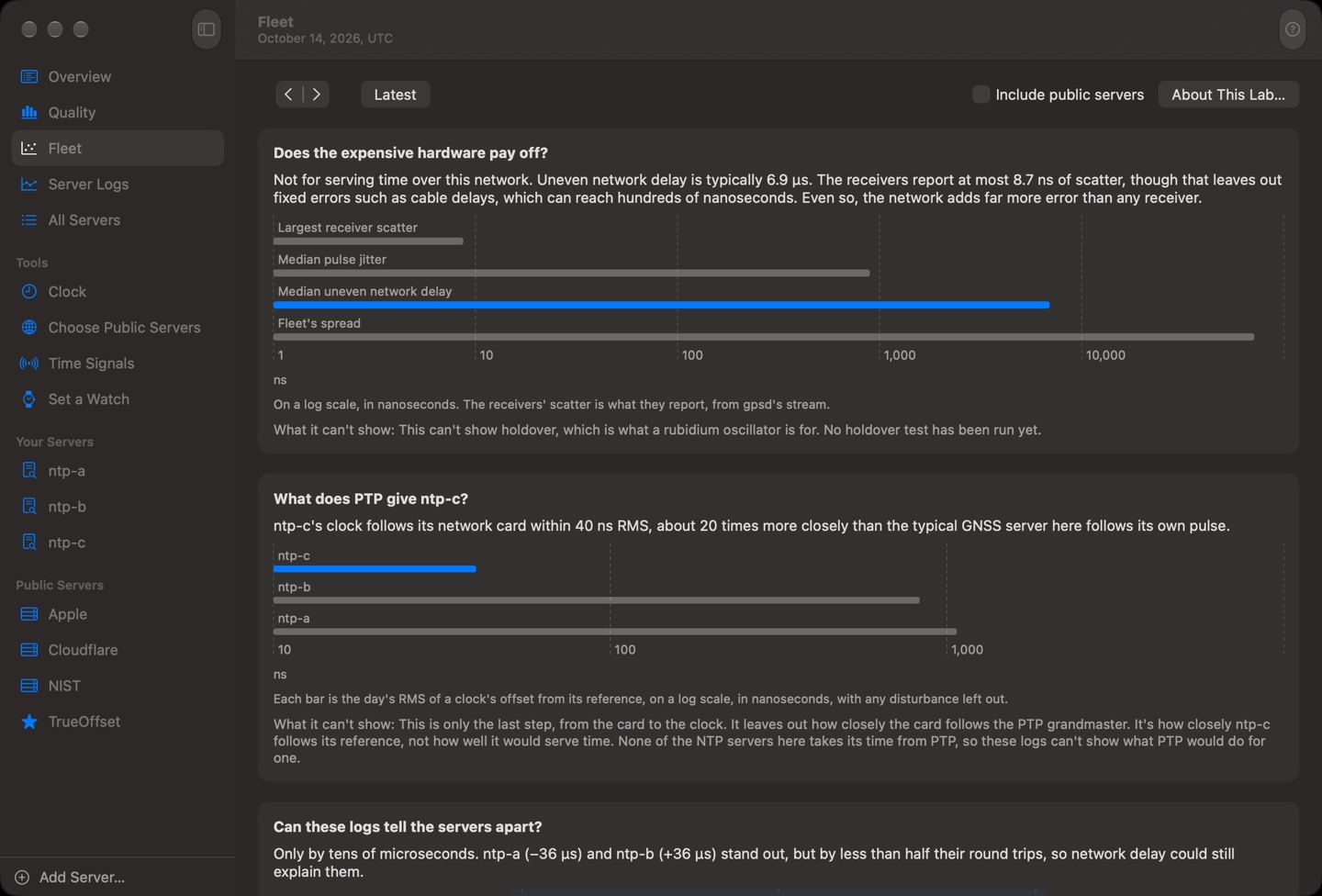
The time daemon
NTPsec or chrony: a few microseconds, on one Pi Measured
The same Pi 3B+, receiver, and antenna ran NTPsec until October 13, 2026, then chrony 4.3. Another Pi on the network measured it against a reference whose software didn't change. The daily interquartile range of its served time went from 2.6 µs (NTPsec, 12 days) to 5.0 µs (chrony, 8 days), while a control pair held at about 3.3 µs. The 98% range went from 9 to 16 µs. That's one Pi with one configuration of each, which is no reason on its own to switch.
ntpd --version; chronyd --version
dpkg-query -W ntpsec chrony gpsd
Rate limiting can refuse your own network Measured
NTPsec's restrict default kod limited is right for the public. But it sent a chrony client polling every second about one kiss-o'-death every 8 seconds. The client's reach showed gaps, and journald wrote about 1.0 GB a day of KoD lines (October 2026). kod without limited still sent one every 5 seconds, because chrony polls a little faster than once a second. We lifted the limit for our own network only, and everyone else keeps the default.
ntpq -c mrulist             # on the server: who is polling, and how fast
chronyc -n sources          # on the client: gaps in Reach (not 377)
journalctl --since "1 hour ago" | grep -ci 'kod\|kiss'
If you serve the public, the NTP Pool's guidance on rate limits still applies to everyone outside your network.
Two daemons on one clock Measured
On Debian, installing chrony removes NTPsec and systemd-timesyncd, and starts chrony before you've configured it. Mask it before installing. Exactly one program should own UDP 123:
sudo ss -ulpn 'sport = :123'
timedatectl show -p NTP
Distribution packages lag on security fixes Measured
NTPsec 1.2.6 (October 20, 2026) fixes two crashes an NTS server's clients could cause: CVE-2026-102486 (an out-of-bounds read in NTS extension parsing) and CVE-2026-102483 (an exit on too many cookie placeholders). It also fixes two in the JJY and Oncore reference clock drivers. We built it from the release tarball, checked with its signature and checksum. The servers were back on the pulse within 12 to 14 seconds of restarting.
One trap: built without --pyshebang="/usr/bin/env python3" and matching --pythondir and --pythonarchdir, the Python tools start with python, which Debian doesn't have. Then ntpq breaks, and the copy in /usr/local/bin hides Debian's working one. Ours had been broken for three months.
ntpd --version
which -a ntpq; head -1 "$(command -v ntpq)"
Numbers that look like faults but aren't Measured
- NTPsec's root dispersion never falls below about 1 ms. That's its
tos mindistfloor. chrony on the same Pi advertised 15 to 31 µs. - Classic ntpd holds polling to at least 8 seconds, even with
minpoll 0. - With
tos minclock 3and six servers, three or four are always shown as outliers, though none was ever a falseticker.
A commercial server's built-in NTP Measured
The SecureSync 1200 serves NTP with classic ntpd on one 615 MHz core. About 77% of its replies came in a slow mode, 55 to 70 µs late, with 25 µs of jitter. Its reference clock spiked 10 to 88 µs one to fifteen times a day, moving the time it served by 10 to 20 µs for about a minute. Its fastest replies alone were close to zero. Its PTP output is a separate matter.
The SD card and the logs
Writes come mostly from the extras Measured
Our four SD-card Pis wrote 1.0 to 1.7 GB a day (October 19, 2026). NTPsec's own statistics were only about 14 MB of that. The hourly gpspipe capture and ext4's 5-second commits wrote most of it. With commit=60 on the root filesystem, /tmp in memory, and a shorter capture, they wrote 0.18 to 0.24 GB a day. The trade-off: a hang can lose up to 60 seconds of logs. chrony with every log on writes about 0.3 GB a day, two thirds of it selection.log.
findmnt -no OPTIONS /       # commit=60 or not
findmnt /tmp                # tmpfs or not
# sectors written in 10 minutes (field 10 of /proc/diskstats, 512 bytes each)
a=$(awk '$3=="mmcblk0"{print $10}' /proc/diskstats); sleep 600
b=$(awk '$3=="mmcblk0"{print $10}' /proc/diskstats); echo "$(( (b-a)*512*144/1000000 )) MB a day"
A journal that forgets every boot Measured
After our Pi 3B+ hung, the journal held only the current boot, so there was nothing to read. While the hangs went on, that Pi kept its journal on the card, capped at 200 MB, and the later hangs could be read. It has since gone back to memory, capped at 100 MB, to save writes. We recommend keeping it on the card, with a cap.
journalctl --list-boots | tail -3
ls -d /var/log/journal 2>/dev/null || echo "volatile: lost at every reboot"
Recommended packages you didn't ask for Measured
Installing ntpsec-ntpviz with recommended packages brought in a running Apache web server and logging timers that duplicated our cron jobs.
apt-config dump | grep -i install-recommends
systemctl is-active apache2
systemctl list-timers | grep -i ntplog
Log rotation on local time Measured
The system's logrotate runs at local midnight, and dateext names the files by local date. In Australia, that's mid-afternoon UTC, so a file named for one day holds parts of two. Rotate statistics at 00:00 UTC, with dateyesterday.
systemctl list-timers logrotate.timer
timedatectl | grep 'Time zone'
The board
Heat and throttling Measured
Our CM5 idles at about 85 °C, and has every day in October 2026, with no cooling device registered. Its firmware holds the CPU at 1.5 GHz and reports it throttled. Linux's own frequency file still says 2.4 GHz, because cpufreq doesn't see the firmware's limit, so ask the firmware. What the heat costs in timing is unknown: the CM5's timing didn't follow its temperature. Our other three Pis report 0x0, or a soft temperature limit at some point since boot.
vcgencmd get_throttled      # 0x0 is clean; see the bits below
vcgencmd measure_temp
vcgencmd measure_clock arm  # the real ARM clock, not cpufreq's
The bits of get_throttled: 0x1 under-voltage, 0x2 frequency capped, 0x4 throttled, 0x8 soft temperature limit, all now. 0x10000, 0x20000, 0x40000, and 0x80000 are the same four since boot. Our CM5's 0xe0006 is capped and throttled now, and capped, throttled, and soft-limited since boot. With no under-voltage, that's heat.
CPU frequency governor Unknown
Two of our Pis use performance and two ondemand. A CM4 on ondemand was at 600 MHz in 9 of 10 readings half a second apart. A changing clock speed could change how long a reply takes, but we haven't measured it. A clean test, a few days on performance, is to be done.
cat /sys/devices/system/cpu/cpu0/cpufreq/scaling_governor
for i in 1 2 3 4 5; do vcgencmd measure_clock arm; sleep 0.5; done
Tickless kernel Unknown
Some time-server guides turn off the tickless kernel. We haven't measured whether it helps on a Pi.
grep -o 'nohz=[a-z]*' /proc/cmdline || echo "tickless (the default)"Temperature Unknown
A crystal's rate changes with temperature, and the daemon corrects for it only after the fact. We log the CPU temperature but don't compensate for it.
cat /sys/class/thermal/thermal_zone0/temp # millidegrees CelsiusHangs Unknown
Our Pi 3B+ hung three times in two days. Card writes stopped in the middle of a cron job, and SSH reset at key exchange, while chrony kept serving from memory. Nothing in the logs: no kernel error, storage timeout, under-voltage, or out-of-memory. The card read cleanly on another machine. A new card is in, and the cause is still unknown. A CM5 hung for about 2.5 hours after a reboot and recovered by itself. A headless Pi with its serial port given to the receiver has no console to look at when this happens.
journalctl -k -b -1 -p warning # the previous boot's kernel warnings (needs a kept journal)What we recommend, and why
These are the choices behind our servers and behind the setup script below. Each gives its reason and how strong the evidence is. Where the reason is only reasoning, it says so.
- Raspberry Pi OS Lite, booting to the console
- A desktop session uses cycles and wakes the processor while nobody is looking at it, and it brings services a time server doesn't need. Reasoning, not measured: we haven't timed a server with a desktop against one without.
- Wired Ethernet, not on USB
- The Pi 3B+'s USB Ethernet gave it the longest round trip of our servers, and the network's share of an offset is a thousand times the receiver's. Prefer a Pi 4B, CM4, or CM5. For PTP, of our boards only the CM4 and CM5 stamp packets in hardware. Measured.
- The latest verified release of NTPsec, chrony, and gpsd
- Distribution packages lag behind the projects' security fixes. NTPsec 1.2.6 fixed two remote crashes of an NTS server. We build from the signed release and recommend it, but the distribution's packages stay a choice: a build is yours to keep up to date. Measured on our servers, and NTPsec's own release notes.
- NTPsec or chrony, your choice
- On one Pi, the difference between them was a few microseconds, smaller than what the board's Ethernet costs. Pick the one you know. Measured, one Pi.
- The pulse on a GPIO pin, with gpsd started at boot
- The time in the sentences alone was about 166 ms late, so the pulse sets the second. Debian's gpsd waits for a client to connect to its socket, and chrony's and NTPsec's shared-memory drivers never connect. So enable
gpsd.serviceand give it-n, which makes it read the receiver without waiting for a client. Measured. - The receiver's serial port for the receiver only
- No serial console on it, SysRq off, and ModemManager off. The port runs at 115,200 baud. A busy or shared line made the sentences late and let the receiver's bytes reach the kernel as commands. Measured.
- A full-day survey, GPS and Galileo, no SBAS, the cable delay set
- Short surveys were meters out in height, and each meter is about 3.3 ns. For the satellite systems, the sources are laboratory time-transfer comparisons, not our own pulse measurements. Measured, and Your receiver.
- Rate limits for the public, and an exception for your own network
- Rate limiting, no management queries, and the NTP Pool's guidance protect the people who use a public server and the server itself. Your own fast-polling machines are different: the default limits refused them. Measured.
- Fewer card writes
- Commits every 60 seconds and
/tmpin memory cut writes by about 80%. Measured. - A journal kept on the card, capped
- A journal kept in memory saves the card, but it's lost at every restart, along with what led up to a hang. Our Pi 3B+'s hangs could be read only because its journal was on the card. Keep it there, with a cap: the setup script proposes
Storage=persistentandSystemMaxUse=64M. Without a cap, journald may use 10% of the file system, up to 4 GB. Measured. - Cooling
- Our CM5 runs at 85 °C and is throttled. A crystal's rate follows its temperature, so a steadier temperature should help, but we haven't measured what the heat costs. Unknown.
Check a Pi with one script
trueoffset-server-setup is a single Python file, MIT-licensed, that will set up a Raspberry Pi as a GNSS time server with NTPsec or chrony. Version 0.1.0 only looks. It reports the board, the pulse and serial port, the clock chips, the time daemon and how it was installed, a serial console on the receiver's port, and services a time server doesn't need, such as ModemManager, Bluetooth, and a swap file. It changes nothing. Download it, read it, and run it:
python3 setup.py                  # NTPsec
python3 setup.py --daemon chrony  # chrony
It doesn't make all of this page's checks yet. If it gets something wrong on your board, write to [email protected] or open an issue on GitHub.
Sources
- Smuszkiewicz, Jones, Novick, and Matsakis, “Lucky Packets and Network Time Protocol (NTP)”, ION PTTI 2026, NIST.
- NTPsec NEWS, release 1.2.6, October 20, 2026.
- chrony.conf:
refclock,burst,filter,presend,maxdelaydevratio. - The time-nuts mailing list, October 24, 2026, for the first reply after a quiet spell.
- The NTP Pool, for what a public server owes its clients.