 TrueOffset
Precision clock · iPhone · iPad · Mac · Apple TV
See how accurate your clock really is.
Your phone sets its clock over the internet, then drifts until the next time it checks. TrueOffset asks the world's time servers what time it is and shows how far off your device is, in thousandths of a second.
Download on the App StoreFree · iOS and iPadOS 17.6 · macOS 15 · tvOS 26.2, or later
What it does
The time on your screen is good enough to catch a train. TrueOffset is for the moment you wonder how good, exactly.
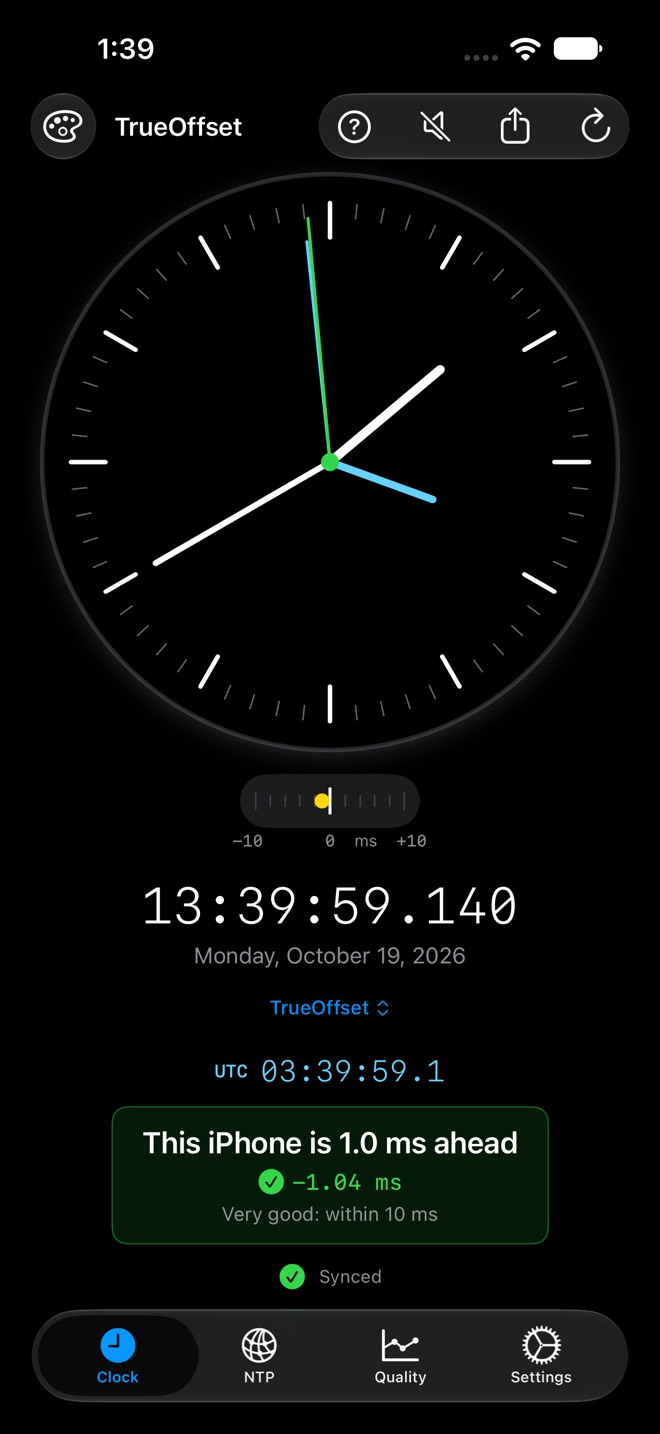
How far off your clock is
In plain words: “This iPhone is 6.5 ms behind.” Within a thousandth of a second is excellent; within a tenth, fair. Most devices land somewhere in between.
Two second hands
One for your device's own clock and one for true time, with a magnifier beneath the dial that shows the gap between them. Or a big digital clock, or a radio time code being spelled out.
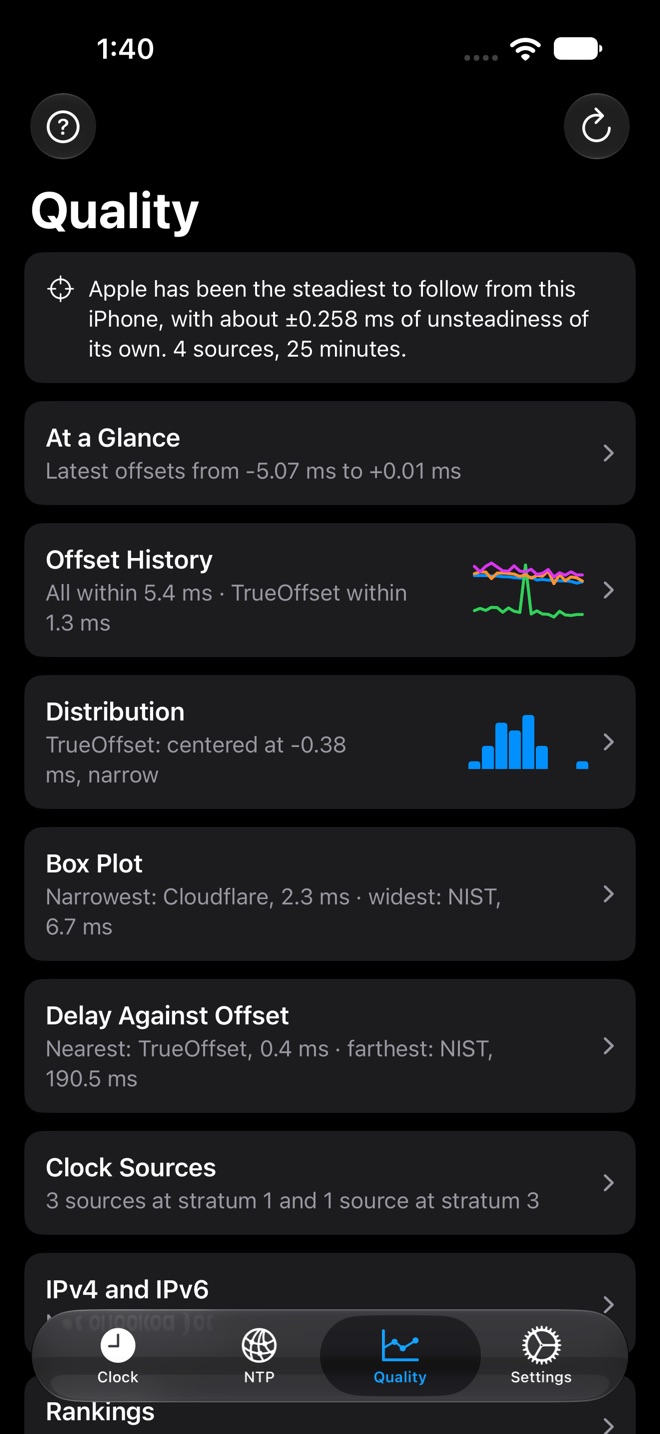
The world's time servers
Apple, Google, Cloudflare, the U.S. national time lab (NIST), the U.S. Naval Observatory, and more. Or ours: ntp.trueoffset.app, a Safran SecureSync 1200 with its own rubidium atomic clock, steered by GPS and Galileo.
Which one to trust
A Quality screen charts every server's answers over time and ranks them by how steady they look from where you are.
It shows its working
Every answer spends time crossing the internet, and nobody can say exactly how much of it was spent each way. TrueOffset shows that trip beside every figure, and trusts the quickest answers most.
Help in the app
What an offset is, why your clock drifts, what UTC and atomic time are, and what each screen shows: explained in the app's own Help, on iPhone, iPad, and Mac.
Time signals, as the world once heard them
Before the internet, the exact time arrived by radio. TrueOffset plays these signals so that each pip begins on the true second. Every one is built from its station's published sound and timing, and none is a recording.
- Six Pips Greenwich Time Signal, as heard on BBC radio
- WWV the U.S. shortwave time station, Colorado code
- WWVH its sister station in Hawaii code
- CHU Canada's shortwave time station, Ottawa code
- Jihō Japanese broadcast time signal, as heard on NHK
- Moscow Six Pips the sixth pip grows with the Moscow hour
- VNG Australia's shortwave time service, 1964–2002 code
- WWVB what “atomic” clocks in North America listen to code
- DCF77 the same for Europe, from Germany code
- MSF the same for Britain code
- JJY 40 kHz eastern Japan code
- JJY 60 kHz western Japan code
- BPC China code
- TrueOffset Master Clock ticks and a voice giving local and Universal Time
A radio, made audible
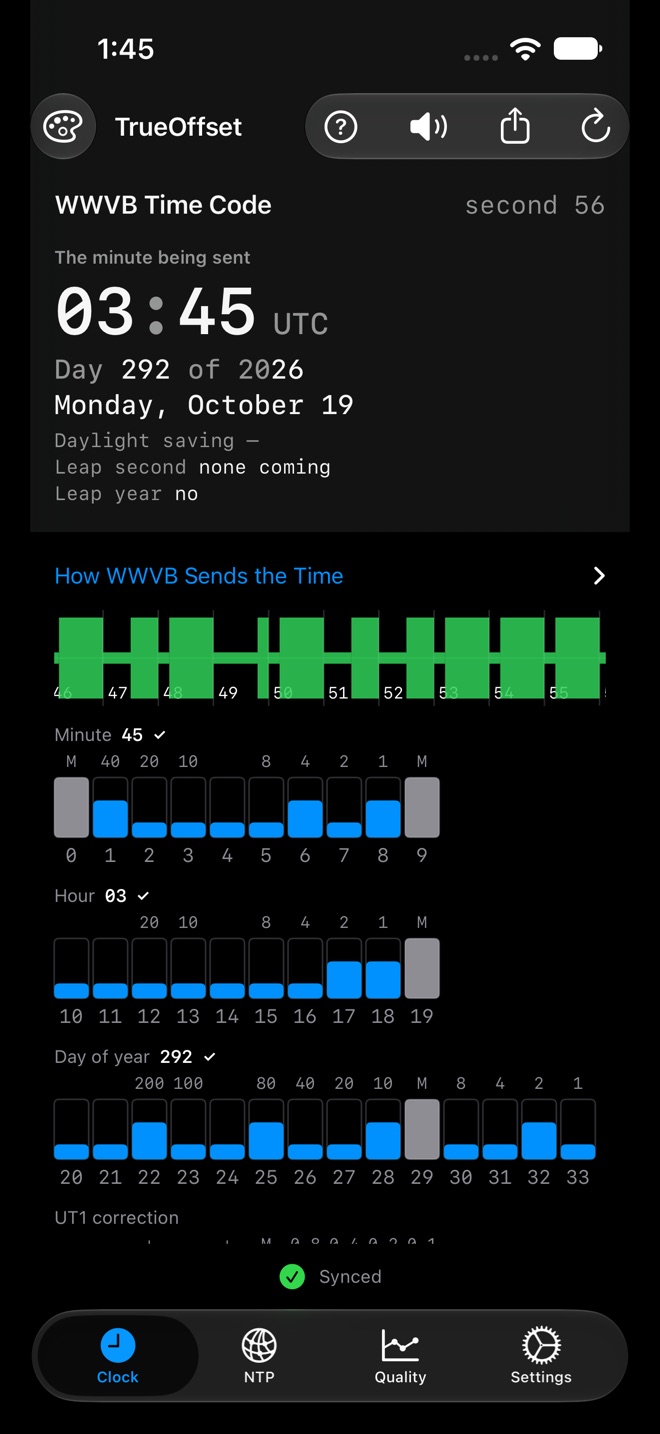
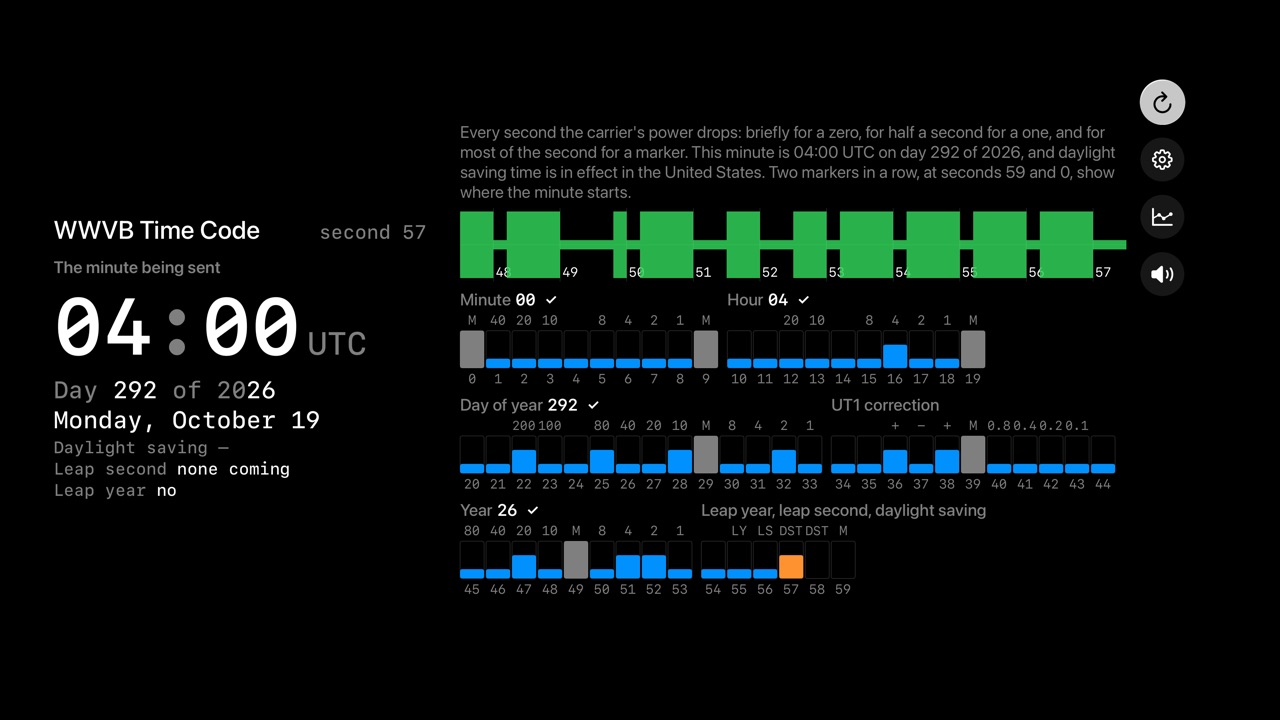
A wall clock sold as atomic is a radio listening to a distant station, which spells out the time one second at a time. TrueOffset lowers that signal into hearing and shows the time being spelled out as it goes.
TrueOffset Master Clock
A tick every second, and a voice announcing local time and then Universal Time: a tribute to the U.S. Naval Observatory's telephone time service. On Apple TV it opens on the big screen.
Speakers that run late
Bluetooth and AirPlay speakers play a little late. On iPhone, iPad, and Mac, TrueOffset can measure by how much with the microphone, and play every pip that much earlier.
Set a Radio-Controlled Watch Beta
Lay the watch on the speaker and let it listen. It has set a Citizen Eco-Drive from an iPhone in Australia, where the real WWVB can't be heard. Other watches haven't been tried yet. If you try it, tell us how it went.
The weather, by radio
Germany's time station once sent a weather forecast hidden in its seconds. Switch it on and TrueOffset sends your own local forecast the same way, to show how it worked.
The Lincolnshire Poacher
Two bars of a folk tune and a voice reading numbers in groups of five. It tells no time. It is a shortwave mystery, and it plays only when you ask.
TrueOffset for Mac
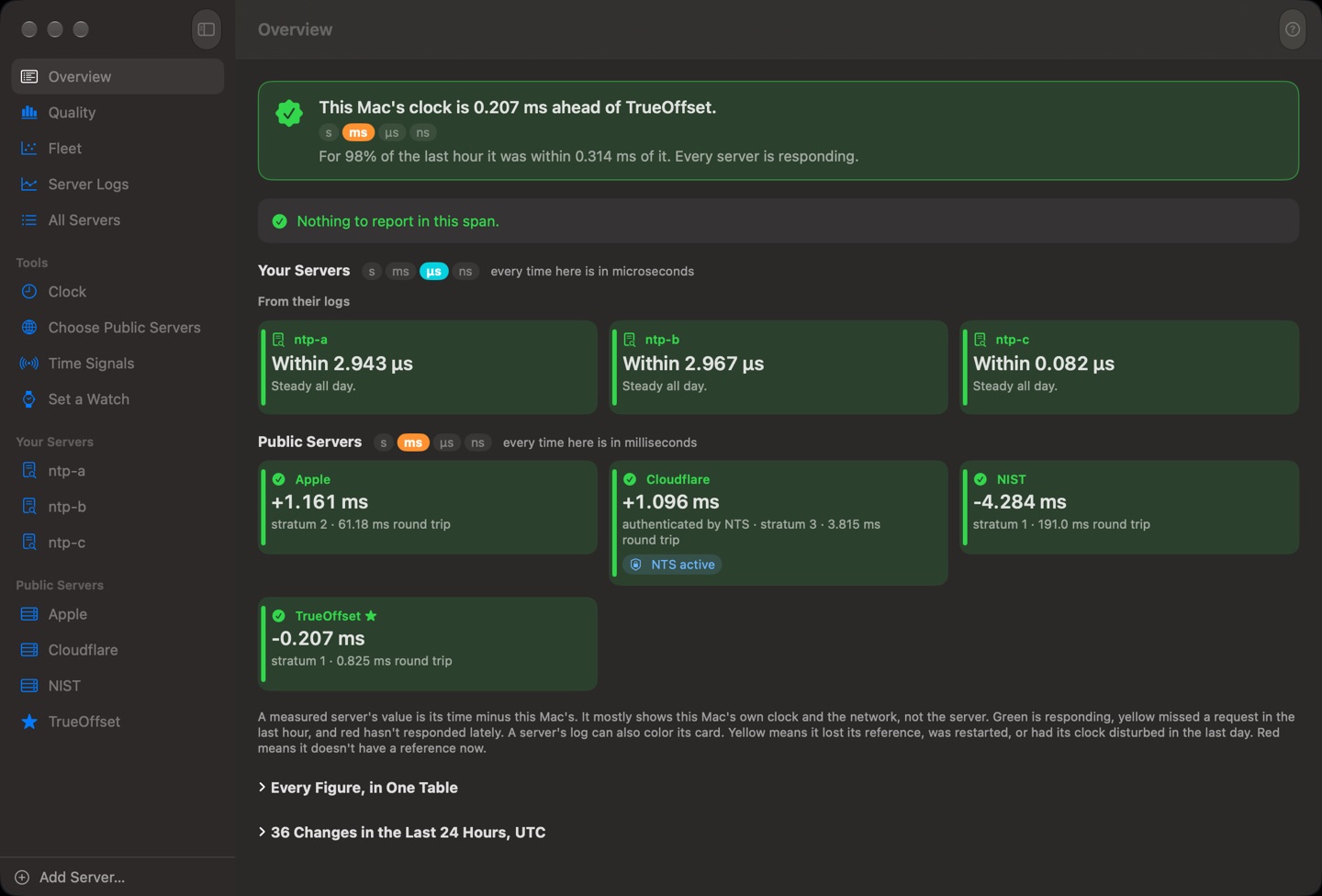
Everything the iPhone app does, in a Mac window, and because a Mac stays on, it can keep watch. It measures and reports, but it never changes your Mac's clock.
From the menu bar
Measuring carries on with the window closed, and TrueOffset can open when you log in. Your Mac's record of how its clock did stays on your Mac.
One sentence first
How far your Mac's clock is from TrueOffset's server, and whether every server is answering, in one sentence. Green when all is well, yellow or red when it is not, and the details a click away.
Told when something changes
A notification when a server stops answering or changes where it gets its time, and a list of the day's changes, down to your Mac sleeping, waking, or joining another network.
On Apple TV
The clock faces at ten feet, the time signals through your sound system, and the Time Code clock filling the screen: a station's code spelled out second by second, with the time it carries assembling beside it. A fresh install opens on the TrueOffset Master Clock.
Try what's next
Join the TrueOffset beta on TestFlight to preview new features before they ship, help test them, and tell us what you find.
TestFlight is Apple's free app for beta testing. A beta build replaces the App Store version on that device. To send feedback, open TrueOffset in the TestFlight app and choose Send Beta Feedback. On iPhone and iPad, you can also take a screenshot.
Join the beta on TestFlightRun your own time server?
On the Mac it reads a time server's own records and charts how well it kept time: NTPsec, chrony, PTP, GPS receivers, and atomic clocks. That side of the app has a page of its own.
- stratum
- root dispersion
- Allan deviation
- holdover
- loopstats
- ZED-F9T
Privacy
TrueOffset collects no personal data. There is no account, no analytics, and no advertising. This is the privacy policy for TrueOffset on iPhone, iPad, Mac, and Apple TV. Last updated October 16, 2026.
What leaves your device
- Time requests. The app sends NTP requests to the servers in your list. An NTP request contains no information about you. Like any internet server, the one that responds sees the IP address the request came from. The default reference,
ntp.trueoffset.app, is a time server we run. The others are run by their operators. Remove any server and it is no longer measured. - Approximate location, only if you ask for the DCF77 forecast. That switch is off by default. When it is on, and DCF77 is the chosen signal, the app reads your approximate location and asks Apple's weather service for a local forecast. The location is not stored and is not sent to us.
- Feedback you choose to send. Mail to support goes through your own mail app and contains what you write.
What stays on your device
- The microphone is used only while you run the speaker delay test. The audio is analyzed on your device and is not recorded or sent anywhere.
- Measurement history on the Mac is kept in a file on that Mac: raw measurements for as long as you choose in Settings, summaries until you delete them there. It is not synced.
- Your own servers' logs, on the Mac, are read from folders you open, from a Timebeat clock's database at the address you give, or from servers you add for collection. To collect, the app logs in over SSH to those servers only, with a key it makes and keeps in your Mac's keychain, along with any password you give it. It reads and copies log files, but it writes nothing on the server. The receiver's serial number, the machine's ID, and a timing receiver's or a SecureSync's antenna position are kept with the copies, so the app can show you your own receivers and tell your machines apart. gpsd's position reports are left out unless you turn on Keep its position fixes. A machine's description leaves out hardware and network addresses and host names. Copies are kept on your Mac. Nothing from them is sent to us or anyone else.
- Local network access is requested so the app can reach time servers, and on the Mac a Timebeat clock and the servers you collect from, on your own network.
- Notifications on the Mac are made on the Mac.
Questions: [email protected].
Acknowledgments
Inspiration. Emerald Time, from Emerald Sequoia, which set the standard for precision timekeeping on the iPhone and is no longer available but not forgotten. NTPsec's ntpviz, whose charts and statistics the analysis follows; none of its code is used. The time-nuts community.
Master timekeepers. Safran, for the SecureSync 1200 behind ntp.trueoffset.app, and Leo Bodnar Electronics, for the LeoNTP.
The open-source code the Mac app uses, and the open-source software on the servers it reads, such as ntpd, NTPsec, chrony, gpsd and linuxptp, are listed on the timekeepers' page and in the app's Help.